

Viscore knowledge centre
Product-rule examples across industries
Configurator accuracy depends on turning compatibility and option effects into explicit rules. Those rules are refined around each product family—not simply copied from one industry to another.
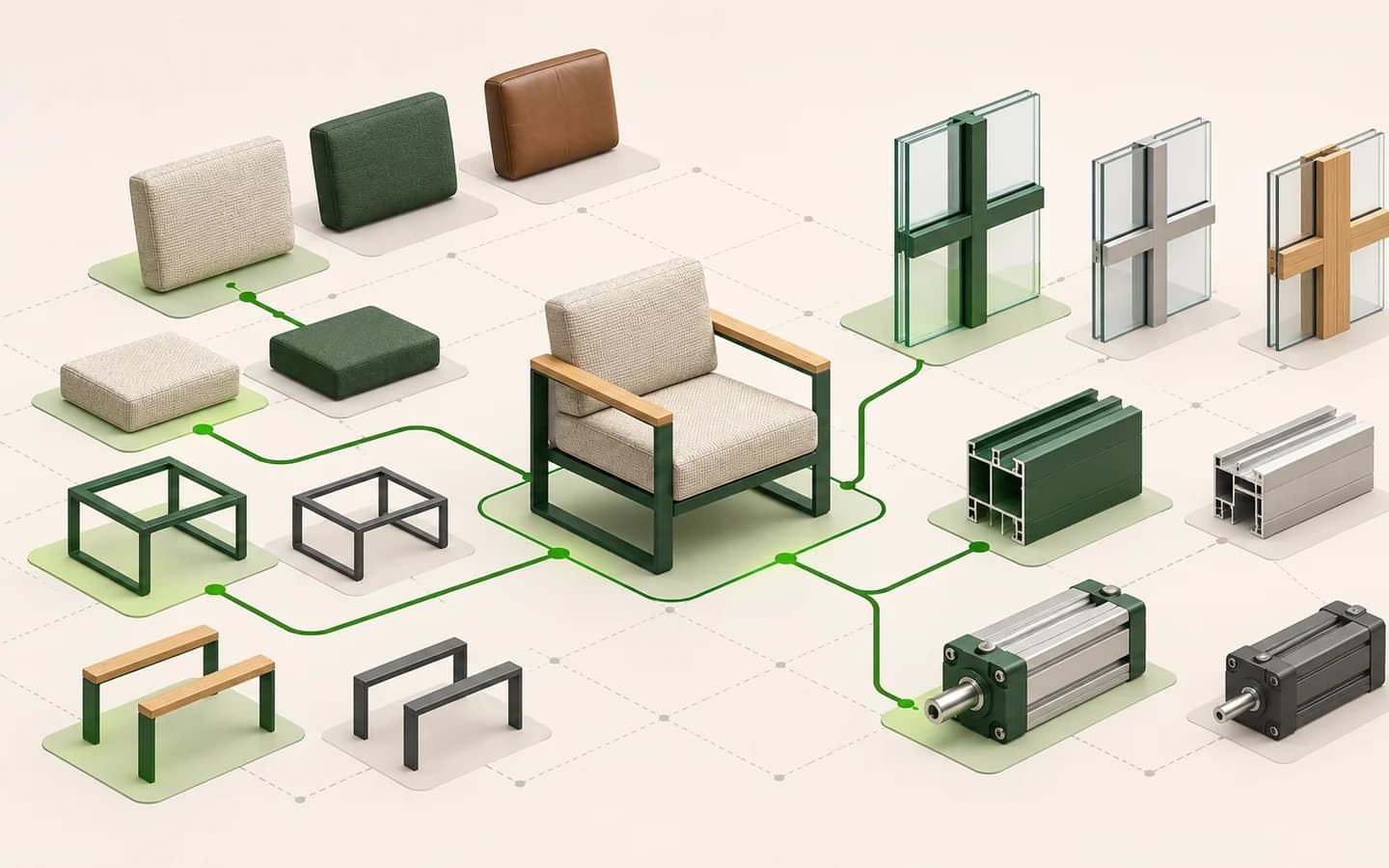
Core types of product rule
A choice may change the availability, dimension, quantity, appearance or price of other choices. Without explicit relationships, a combination may look possible while being impossible to manufacture.
| Type | Example |
|---|---|
| Compatibility | This leg only fits this top |
| Dependency | Glass roof enables a blind |
| Limit | Module count from width |
| Calculation | Price from size and finish |
| Guidance | Explain why a choice is invalid |
Move rules from scattered documents into one inventory
Product rules may be scattered across catalogue footnotes, price sheets, CAD drawings and the knowledge of experienced sales staff. Discovery should combine these sources into a shared rule inventory.
Each record should contain the condition, outcome, affected products, explanation, source document and owner. Visual behaviour, price and product code can then be traced to the same decision.
| Field | Example |
|---|---|
| Condition | When width exceeds 300 cm |
| Outcome | A centre support is required |
| Affected output | 3D part, product code and price |
| Customer message | An extra support was added for this size |
| Source / owner | Technical table v4 / Product team |
Furniture and storage
Modular seating may combine connection direction, corner modules, fabric coverage and leg choice. Cabinets connect overall width, carcass modules, door count, internal fittings and room height.
- Corner and end-module direction
- Fabric quantity by module
- Door width and track limits
- Internal fitting compatibility
- Wall and ceiling clearances
Yachts, pergolas and facade systems
A boat model and engine version can define the initial option set. In pergola and facade systems, opening dimensions, supports, roof type, panel count and opening direction interact.
The visual model does not replace engineering calculations. Structural capacity, regulations and manufacturing suitability remain with the verified technical system.
- Equipment list by model
- Panels or supports by length
- Corner joins and opening direction
- Technical limits by environment
- Separation of visual choice and engineering approval
Industrial products and equipment
Industrial configuration gives technical capacity and part codes as much importance as appearance. Motor, controls, conveyors and safety equipment can depend on power, size and use case.
- Components by capacity
- Electrical and connection compatibility
- Mandatory parent parts
- Part-code and revision mapping
- Choices that require technical approval
Present each rule as an understandable user behaviour
Silently removing an option can make customers think the catalogue is incomplete. Explain why a choice is unavailable, what can resolve it and what the system changed automatically.
Do not expose raw engineering language directly to customers. Translate the product rule into a short, actionable interface message, with more detail available to sales when needed.
- A short reason for a disabled option
- Notice when a mandatory part is added
- Allowed range at a dimension limit
- A corrective suggestion for conflicting choices
- A clear next step when technical approval is required
Validate rules through scenarios
Turn a rule table into scenarios the product team can review. Test minimum and maximum dimensions, mutually exclusive choices, defaults and stale data.
Assign an owner and update source to each rule. A product change may affect the visual part, code, price and integration mapping as well as interface text.
- List valid reference configurations
- Define invalid combinations and reasons
- Test boundary values
- Compare price and code effects
- Obtain product-team approval

What is a 3D product configurator?
Learn how a 3D product configurator works, which products it suits and what product data and content a project needs.
Read the guide
3D configurator vs CPQ: what is the difference?
Understand the difference between 3D product configuration and Configure, Price, Quote (CPQ), and how the two layers work together.
Read the guide
How to prepare CAD and 3D files for a web configurator
Review part structure, geometry, materials, scale, optimisation and validation when preparing CAD and 3D models for a web configurator.
Read the guide